We’ve upgraded the main DBGallery page to make your experience faster and more intuitive: A new search, rearranged menu, and improved thumbs selection info. While the new layout may take a moment to get used to, these changes are designed to significantly improve how you interact with your assets every day.
Search
We're introducing a significantly improved search experience!
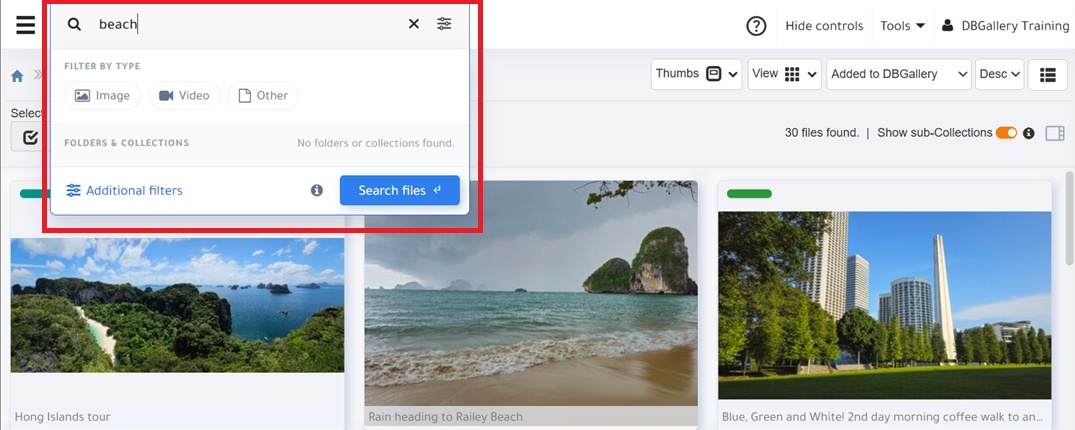
The new search includes the following benefits:
- Global Accessibility: The search bar is now always available, including the Dashboard (excludes Admin-specific tools).
- Another layer of Search: Locate folders and collections from the search bar. No more manual scrolling the tree to find the folder or collection you're looking to go to! It auto-searches once three characters are typed.
- Badges: After selecting non-text searches (Video, Expired statuses, or a workflow status, etc) badges appear on the search bar to show the full search criteria. See the 5 Stars badge in the menu screenshot below for an example. They can be clicked to remove that attribute from the search filter.
- It's also an improved experience overall: A better layout, search for those taken in the past N days, etc.
Menu
Having moved search to the very top bar, it was time to improve the gallery menu layout as well.
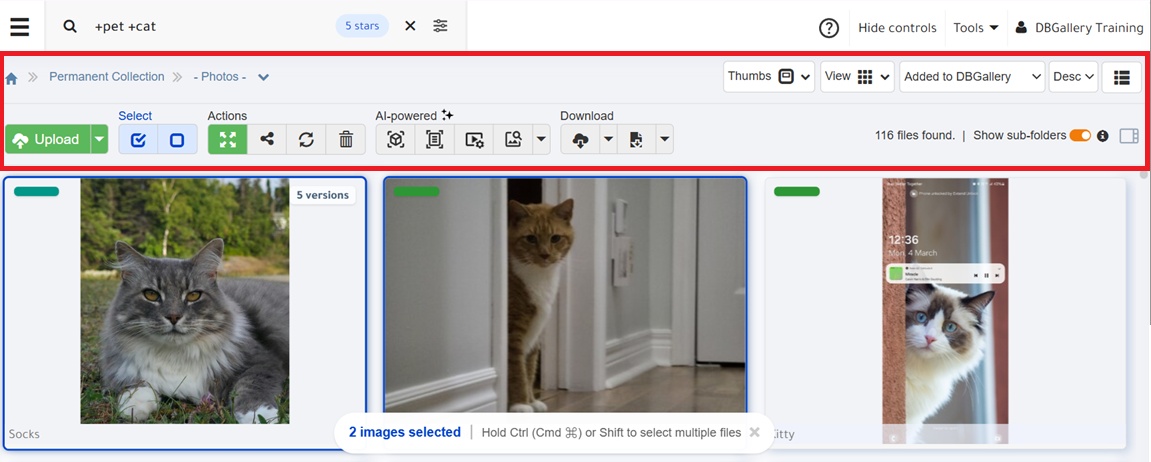
The menu bar now has more room for search results, with one whole row from the menu removed.
It now has a better, more logical layout:
- Row 1: Breadcrumbs + settings for the gallery view (Thumbs data, View and Sort).
- Row 2: Context-sensitive action buttons.
Note: The right-side Dashboard button has been moved to under the Tools menu.
Selected Assets
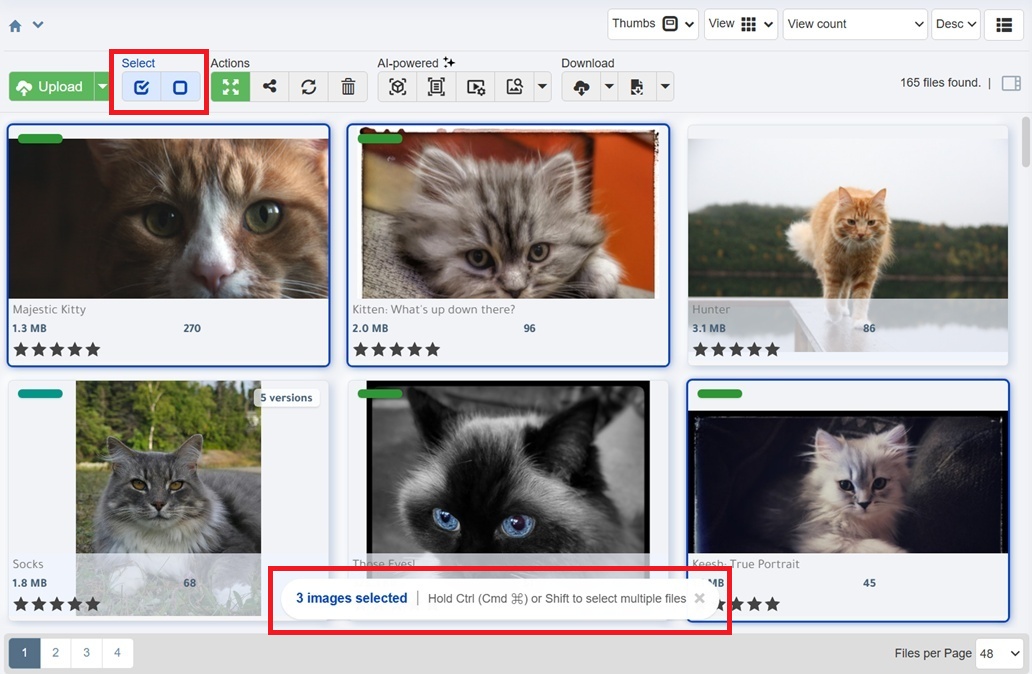
We've improved the selection message and notification area. This was done for 3 reasons:
- More visible: When thumbs are selected it is now more obvious that they are rather than kinda hidden in the top corner. The count is also more easily seen.
- The new selection bar at the bottom includes instructions regarding how to select multiple assets.
- Pretty blue buttons in the top main menu make it more obvious how to select or deselect everything. See the top red square in the screenshot.
Smaller but notable updates
- Thumbs are now cached for faster display.
- Fix: When a PDF is the first file in a share, it now displays correctly.
- The "Add Group" menu option in the Collections area has been removed. Groups were deprecated a few years ago and the ability to add them has now been removed. Groups that already exist will continue to work.
- "Exclude AI Description": Too much AI data dilutes search quality. This new search option ignores that metadata field in searches.
Related Links
- Knowledge Base Search page.
- A full list of recent improvements on our Update Notes blog area.

